Options Chain
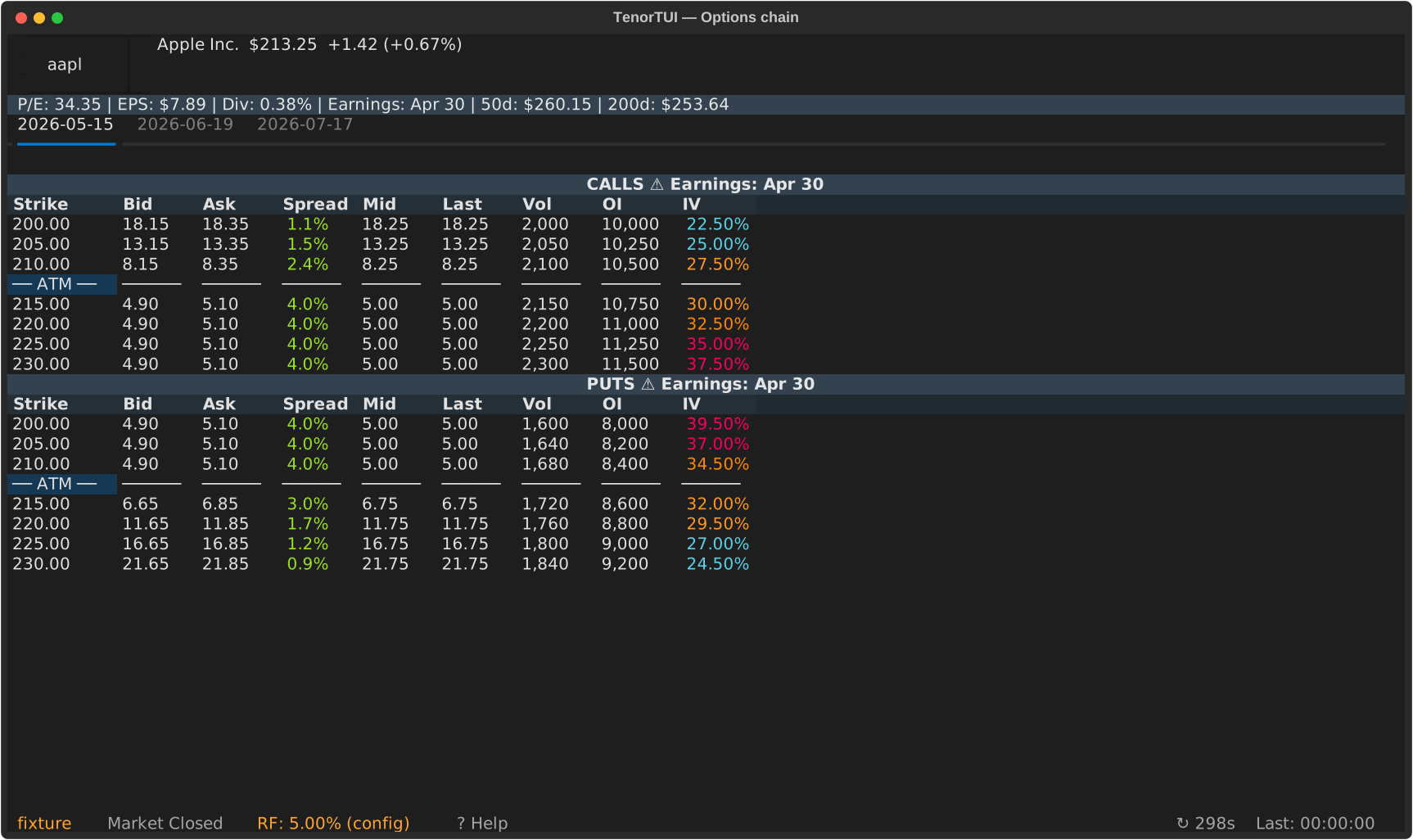
The options chain is the main view of TenorTUI: calls on the left, puts on the right, with the at-the-money strike highlighted.
Layout
- Calls table (left): strike, bid, ask, last, volume, open interest, IV, and (if the provider supplies them) Δ Γ Θ ν ρ.
- Puts table (right): same columns, mirrored.
- ATM divider row: a horizontal divider sits at the strike closest to the current underlying price. The view auto-scrolls to keep it centered when you load a new chain.
Expiry tabs
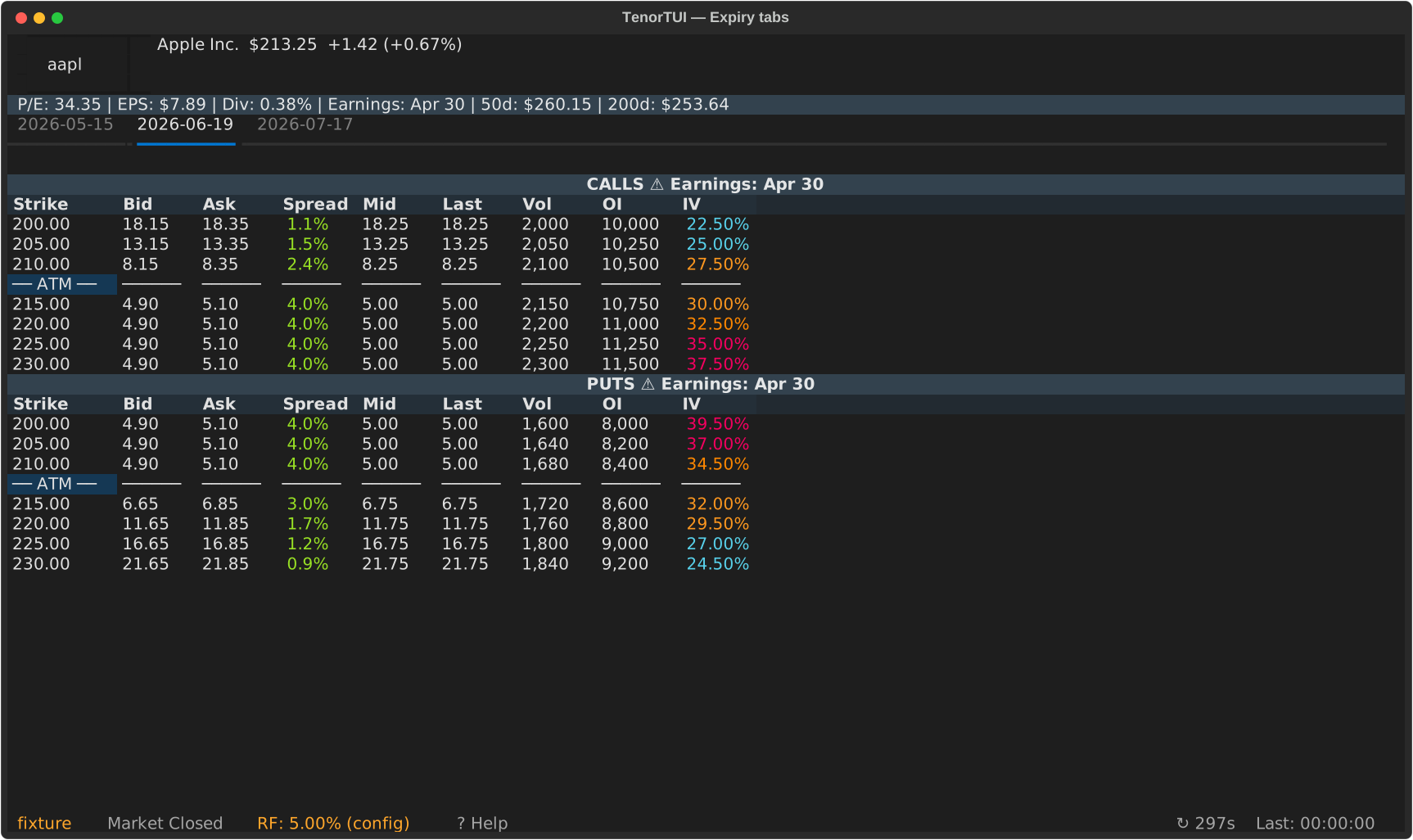
Each expiration date is a tab across the top of the chain. Switch with ← / → or click the tab.
Greeks columns
Greeks columns appear automatically when the provider supplies them. The default Yahoo provider does not include Greeks; the Tradier provider does. See Providers for the full capability matrix.
Filters
Press : to open the command palette, then type filter <expr>
(or f <expr>):
| Command | Shows |
|---|---|
filter itm / filter otm |
In-the-money / out-of-the-money contracts only |
filter volume > N (or vol > N) |
Contracts with volume above N |
filter oi > N |
Contracts with open interest above N |
filter delta <min> <max> |
Contracts with |Δ| in the range, e.g. delta 0.3 0.7 or delta .3 .7 |
filter clear |
Remove all filters |
An unrecognised or malformed filter (for example filter delta 1.2.3 0.5)
shows an "Unknown filter" warning and leaves the current chain unchanged.
Demo